#7 Step 1
Do you know?? Google collects data on your daily activity and stores them for targeted advertising. Now here is a trick by which you can remove your personal activity data and your search activity data.
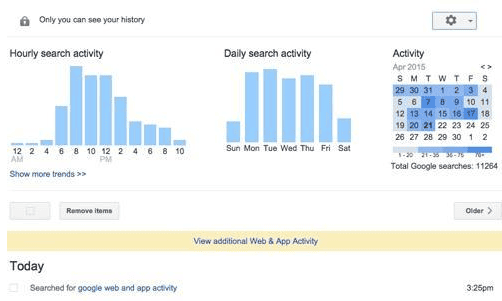
Step 1 is fairly simple. Just Head to Google's web and activity page. Here is where your solution lies.
#6 Step 2
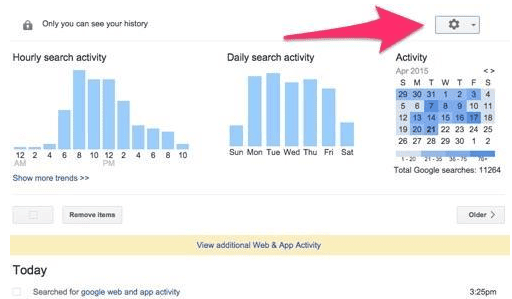
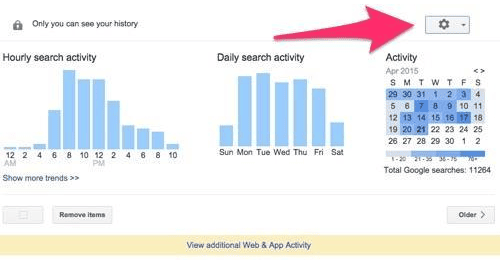
In step 2, navigate to and click on the settings button found in the top right-hand corner.
#5 Step 3
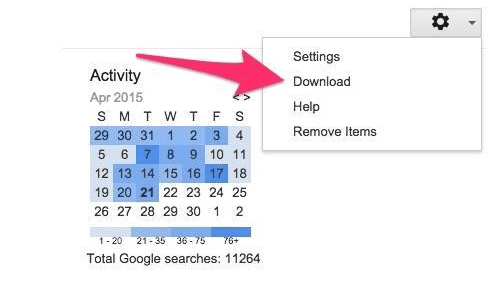
In step 3, You go to the drop down menu and click on download.
#4 Step 4
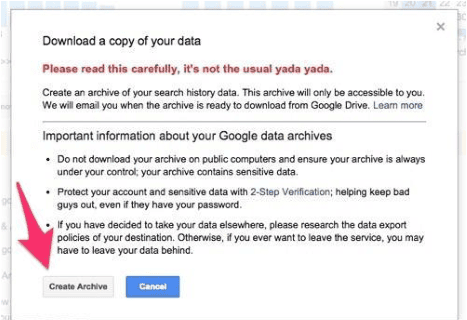
Your step 4 is creating an archive. Its important to create an archive. You get this option below your screen for creating an Archive.
#3 Step 5
In this step, you head back to the page you started at, Google's web and activity page and again navigate to settings. This time in the drop down click on 'Remove items'.
#2 Step 6
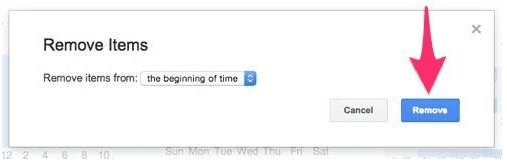
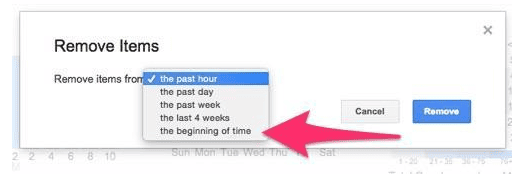
In step 6, you decide the duration of time period you want to delete. In the pop up window to follow choose how far back you want your erase to go. The beginning of time option is your best bet!
#1 Final step
Time for the final step. Click on remove for the finish. Going forward Google will no longer remember your search cues, for a small time period of course.