#9 Drop Of Water
AA drop of water can be really helpful. You can use a drop of water to create a pseudo macro lens for your Smartphone camera. Just make sure it doesn't run off the lens.

#8 Panoramic view
Panorama is such an amazing thing. When clicking a panoramic photo with your friend as a subject, ask them to move and pose in each frame for a more candid shot. This will just better the picture. Moving the phone up, down, left and right will capture the entire surrounding landscape.

#7 Low-Light Mode
Low-Light mode just enhances the beauty of your picture. With the help of the low-light mode, you can capture clear photos or videos anytime of the day.

#6 Tap and Do
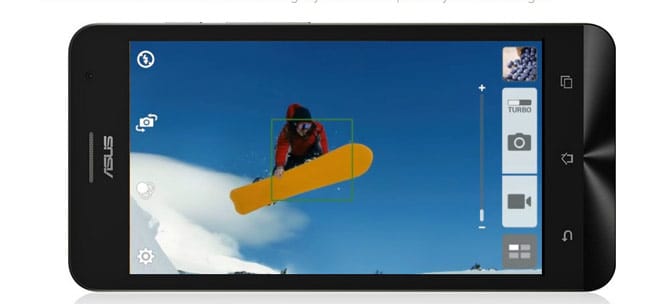
This is regarding the focus of your object in the image. You can tap to select a particular object in the frame to keep the object in focus - even if it moves slightly - you can still ensure perfectly focused images.
#5 GIF
This is something that you definitely would've never thought of. Did you know that when you press and hold the shutter of your ZenFone to take a series of continuous pictures, it gets automatically converted into an animated GIF? Well, now you do!

#4 Blur Technique
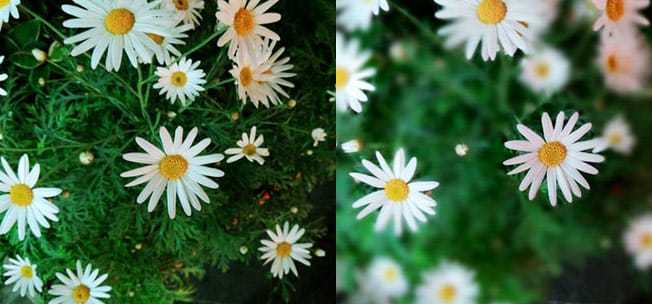
Blur technique is even possible in your smartphone. It's a technique used to isolate objects from their background giving more focus to a certain aspect of a picture. Just got to settings and change it.
#3 Cardboard Selfies
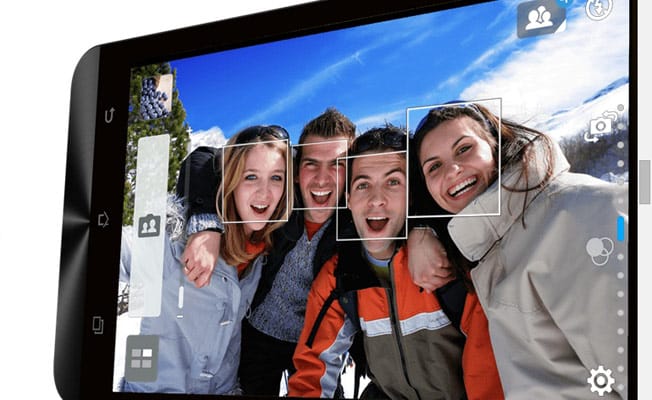
While clicking a group selfie, Cardboard can be of great help. You can use a piece of cardboard as a makeshift tripod for selfies. Yes, it totally works.
#2 Smart Remove
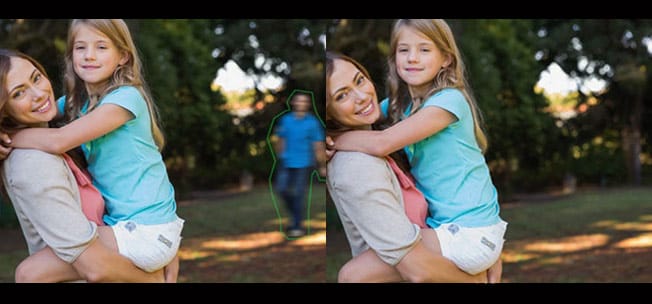
No more photo bombs now. 'Smart Remove' mode easily removes unwanted moving objects from your photos. How amazing is this. I am relieved.
#1 Instant Photographs
And finally, we tell you how to take instant photographs on your camera. Just double press the volume key to quick start the camera app. Press once more to take a photo!